
November 12, 2015
SharePoint 2010 Cumulative Updates: November 2015
The November 2015 Cumulative Update for SharePoint 2010 contains numerous hotfixes and improvements for SharePoint Foundation 2010 and SharePoint Server 2010. The cumulative update package is multilingual and contains updates for all languages. It also contains all updates of the October 2015 Public Update (PU).
Before you start
Since June 2014 the Cumulative Updates for SharePoint products releases on a monthly basis!
Be aware that the cumulative update requires the Service Pack 2 to be installed. This Cumulative Update does not support Service Pack 1. The SharePoint Server 2010 cumulative update contains all resources of SharePoint Foundation 2010 since the release of Service Pack 2.
If you install the Project Server 2010 hotfixes, you also have to install the SharePoint Server 2010 hotfix.
Installation instructions
- Make sure you already installed and configured the Service Pack 2.
- Create a SharePoint Farm Backup.
- Download all SharePoint Foundation and SharePoint Server packages.
- Extract the previously downloaded files with a double-click.
- Click "Continue"
- Define the path in which you would like to extract the installation binaries and click OK. Use the same destination path for the other files.
- Run the extracted EXE file as administrator.
- Accept the license terms and click "Continue".
- Repeat the previous two steps for the other EXE files in this folder.
- Apply the updates to each SharePoint server in the farm.
- As soon as the installation of the cumulative update has finished on all servers, run the SharePoint Configuration Wizard successively on each SharePoint server in the farm.
- Restart the User Profile Service on affected servers.
Hotfix KB3101547 for SharePoint Foundation 2010: November 10, 2015
Download
Description of the SharePoint Foundation 2010 update package
Hotfix KB3101534 for SharePoint Server 2010: November 10, 2015
Download
Description of the SharePoint Server 2010 update package
Hotfix KB3101530 for Project Server 2010: November 10, 2015
Download
Description of the Project Server 2010 update package
SharePoint 2010 update portal
http://technet.microsoft.com/en-us/sharepoint/ff800847.aspx
November 9, 2015
Will business users still get unlimited OneDrive storage?
It was very surprising when Microsoft announced unlimited OneDrive storage for Office 365 subscribers back in October 2014 - Microsofts answer to Googles announcement to provide unlimited storage for educational users. Almost exactly one year later, Microsoft stated in a blog post that they are making changes to OneDrive storage plans.
How will these changes affect me?
Starting in early 2016 Office 365 Home, Personal and University subscribers will be cut to 1 TB OneDrive storage. If you are storing more than 1 TB in your OneDrive account, you will be notified to decrease your storage within the next 12 months. The 100 GB and 200 GB plans are no longer available to new users and will be replaced by a 50 GB plan. If you want to unsubscribe from Office 365 because of these changes, Microsoft offers a pro-rated refund.
But not only paid storage is affected. Also the free OneDrive storage is being down-scaled from 15 GB to 5 GB for all users. If you are using more than 5 GB space on OneDrive you will have one year to reduce the data below this limit. The 15 GB camera roll storage will be discontinued completely in early 2016. To see your plan and how much space you are using, visit the Manage Storage page.
What does it mean to OneDrive business customers?
Since the OneDrive storage plans changes were posted on the OneDrvie blog, there's no statement about the impact to OneDrive business customers. This is a big question mark because Microsoft announced unlimited OneDrive storage for Office 365 subscribers one year ago - not only for Office 365 customers, but also for business customers.
While the OneDrive for Business service description (last updated on October 5, 2015) refers to a 1 TB storage limit, the Office 365 roadmap still shows "Unlimited storage for OneDrive for Business" as "in development", referring to the partly revoked blog post of October 2014.
This raises the question of whether the OneDrive storage limit for business customers will remain at 1 TB and no upgrade to unlimited storage will happen. We will see what the future holds.
Oktober 28, 2015
First impressions of Surface Pro 4, Lumia 950, Lumia 950 XL and Continuum
My week started with the Windows 10 devices product event in Zürich where I've been invited by Microsoft Switzerland. In a typical lounge atmosphere with good sound, appetizers and a glass of wine I could test the brand new Surface Pro 4 and the Lumia phones. The following product reviews are based on my impressions during the product event.
Microsoft Surface Pro 4
The new Surface Pro 4 looks thinner (8,4 mm instead of 9,1 mm) and is lighter than its predecessors. The tablet has a 12,3 inch touch screen with a resolution of 2736 x 1824 pixels. The PixelSense display recognizes automatically whether a pen or a finger is used and optimizes the touchscreen accuracy. The Surface Pro 4 runs with 6th Generation Intel Core m3, i5 and i7 processors. The kickstand is similar to the Surface Pro 3 thus it's still a bit difficult when working on the thighs.
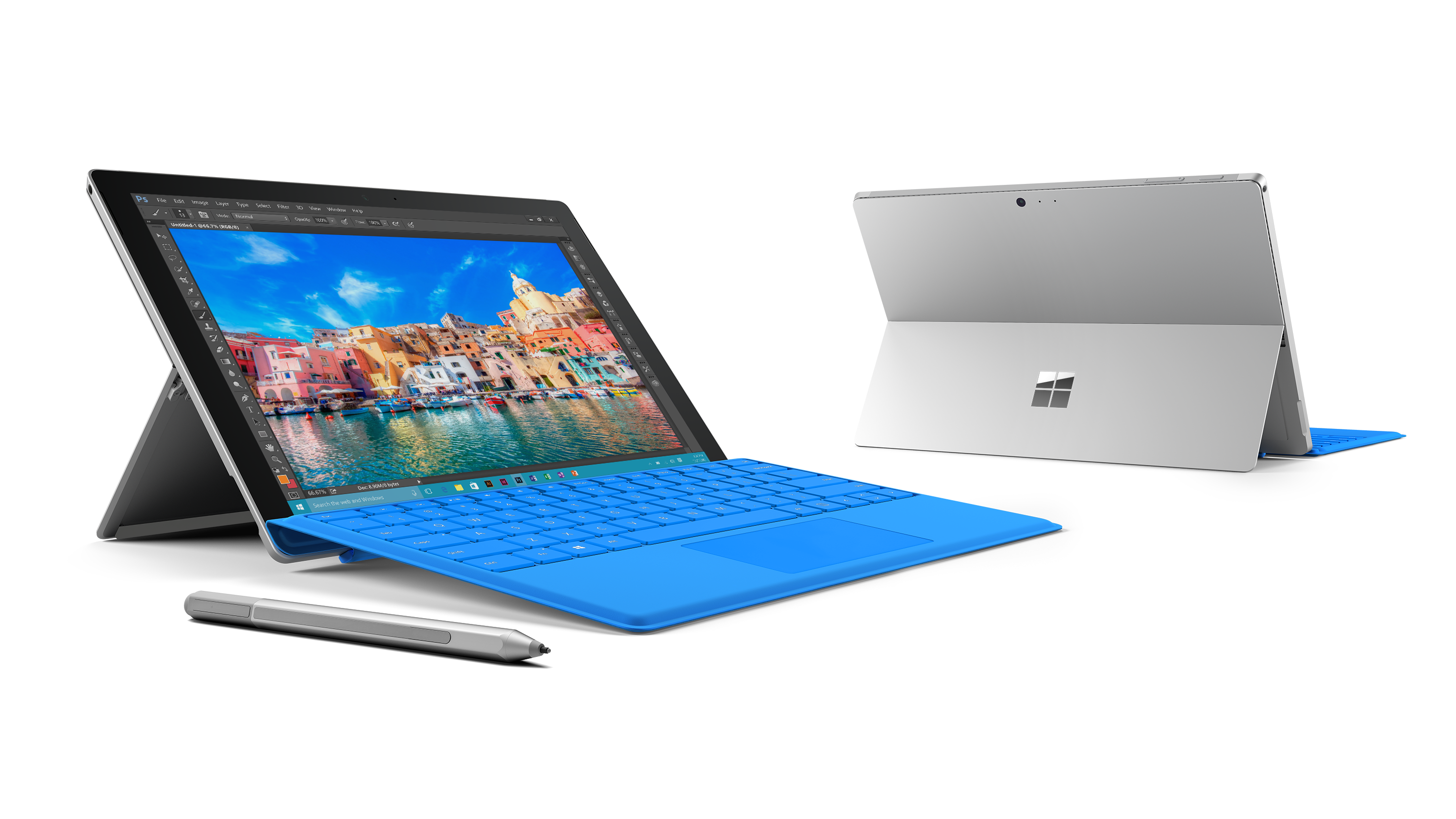
Improvements are the magnetic pen and the keyboard which seem to be attached firmer to the device compared against earlier versions. My personal favorite is the Type Cover 4. It feels distinctly more like a regular keyboard and comes with additional space between the keys. That makes it easier to write down a document without accidentally hitting the adjacent keys. The Type Cover 4 is also available with a fingerprint reader.
The Surface Pro 4 with Intel Core m3 or i5 processor are available beginning November 12 in Germany and November 19 in Switzerland. The devices with Intel Core i7 processors are available beginning December 12 in Germany and also in Switzerland.
Microsoft Surface Book
The Microsoft Surface Book was the highlight of Microsofts product presentation earlier this month. Therefore I was excited to play with the first laptop made by Microsoft. But unfortunately the Surface Book was't presented during the event in Zürich.
Microsoft Lumia 950 and Lumia 950 XL
The first two mobile devices running under the new operating system Windows 10 are made by Microsoft. The smaller device is the Lumia 950 with a 5,2 inch display and a 1,8 GHz Qualcomm Snapdragon 808 six-core processor. The bigger device is the Lumia 950 XL with a 5,7 inch screen and a 2,0 GHz Qualcomm Snapdragon 810 eight-core processor. The two devices are differed by the size and the processors. Both devices have a clear and vibrant AMOLED display with a resolution of 1440 x 2560 pixels, 3 GB RAM, 32 GB of internal plus up to 200 GB expandable storage and a 20 megapixels camera which made great pictures in the dim lounge atmosphere. Both devices have a dedicated camera button and a 5 megapixels front camera.
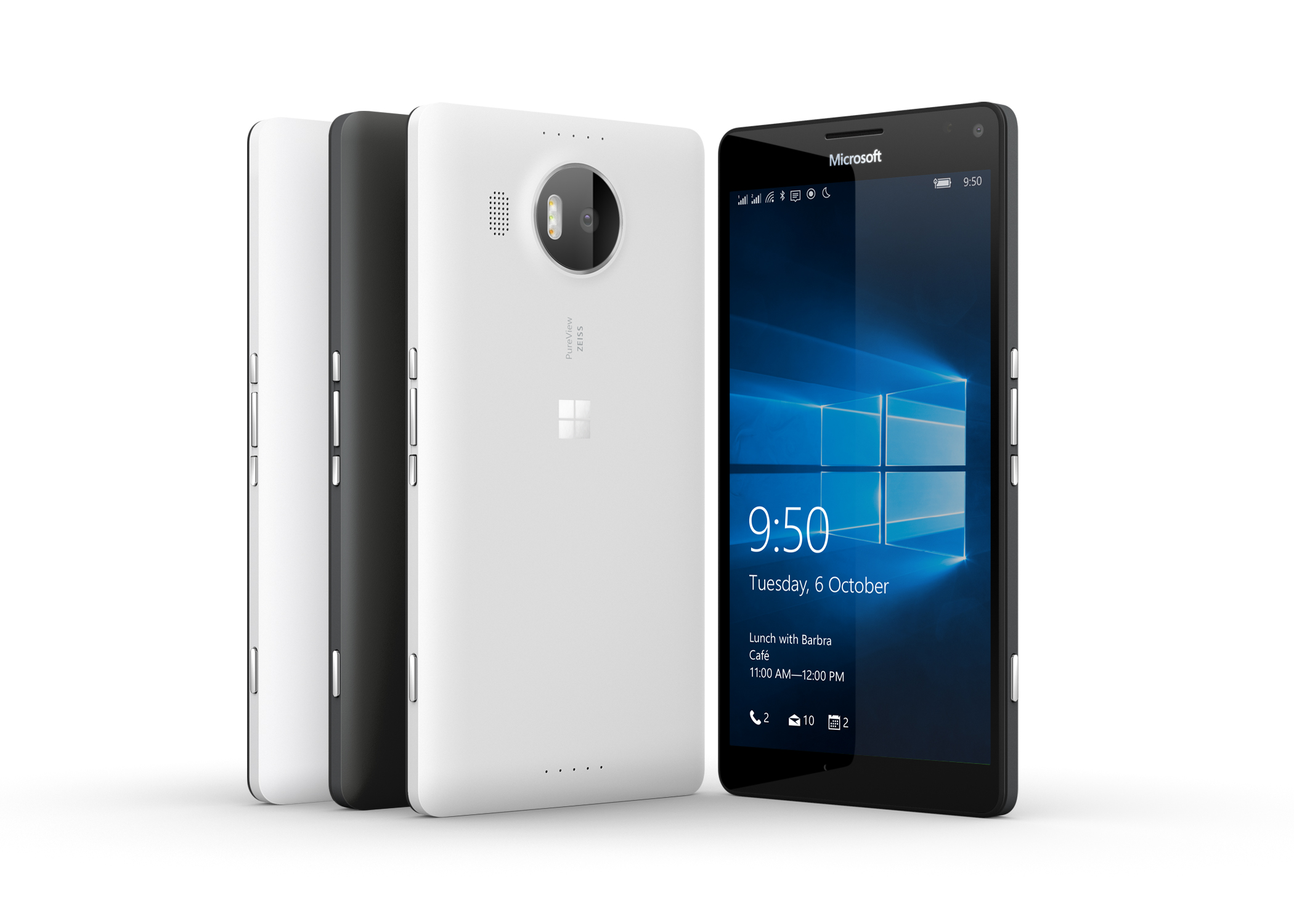
Windows Hello allows you to unlock your device through iris recognition. I didn't test this feature, so it will be interesting to see how it works under real world conditions. The shell is made of plastic but having said that I like the modern and clean design. This is probably the reason why it's lighter than its competitors. Both devices will be available beginning November 27.
Microsoft Display Dock (Continuum)
Possibly the biggest pitch is the Microsoft Display Dock (Continuum). A hub that turns Windows 10 smartphones into a Windows 10 PC. Simply connect a Lumia 950 or 950 XL to the Microsoft Display Dock and add a keyboard, a mouse and an external monitor. Since the Office and Outlook apps scale up automatically you're ready to work like on a normal PC.
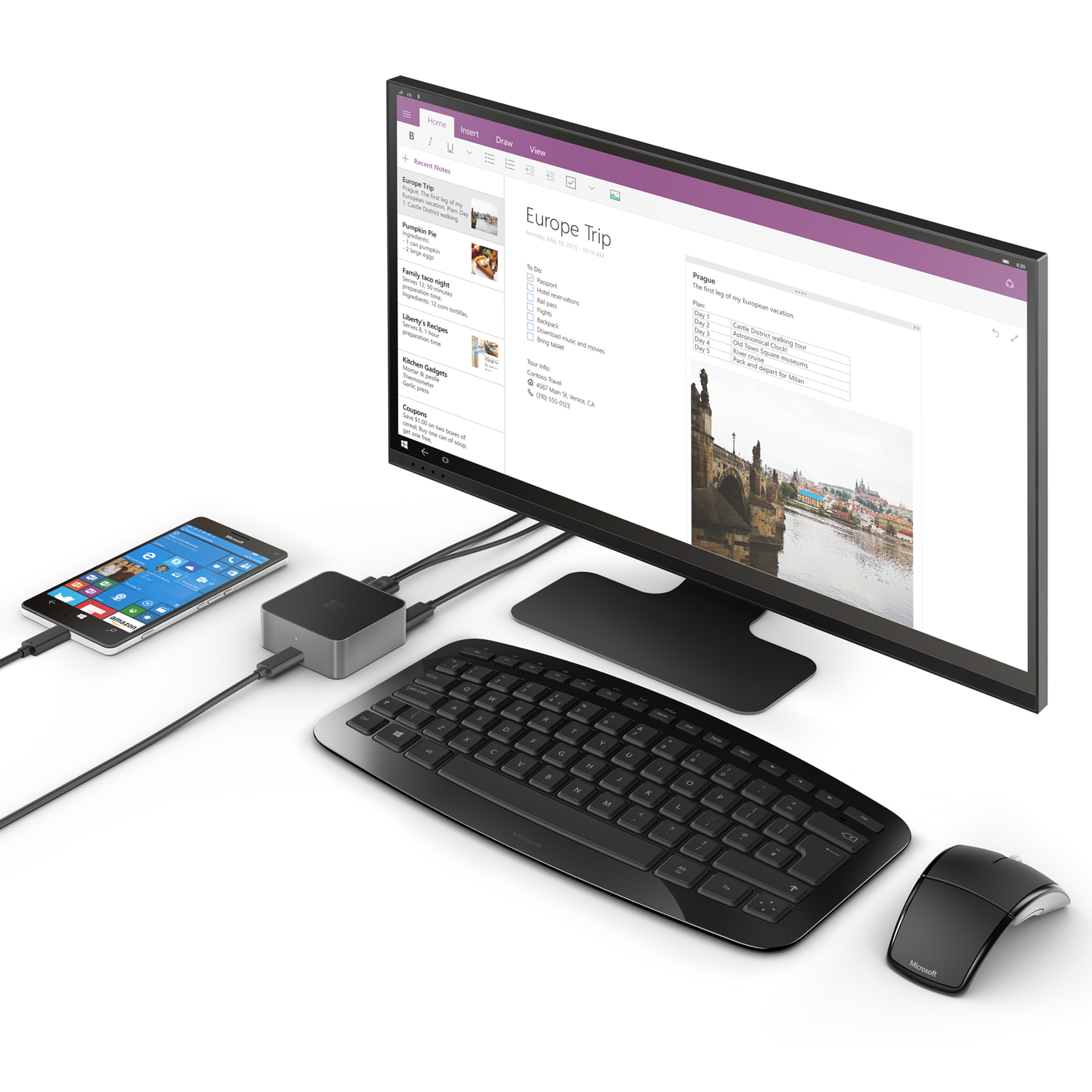
The new Windows 10 devices are a big step forward. I'm looking forward to see those devices under real world conditions. I'm still hoping to get a test device. Oh, and I also could assort a a box of chocolates.

Picture credits: Surface Pro 4, Lumia 950 XL, Microsoft Display Dock (Microsoft)
Oktober 14, 2015
SharePoint 2013 Cumulative Updates: October 2015
The October 2015 Cumulative Update for SharePoint 2013 contains numerous hotfixes and improvements for SharePoint Foundation 2013 and SharePoint Server 2013. The cumulative update package is multilingual and contains updates for all languages. It also includes all updates of the October 2015 Public Update (PU).
Before you start
Since June 2014 the Cumulative Updates for SharePoint products releases on a monthly basis.
Since May 2015 the server proofing tools are included in the cumulative updates.
This cumulative update includes all patches since the Service Pack 1 release, but not the Service Pack 1 itself. You must install the Service Pack 1 before installing this cumulative update. Read how-to install Service Pack 1.
Because of the file size the cumulative update package has been divided in three parts; ubersrv.exe, ubersrv_1.cab and ubersrv_2.cab. You have to put them all in the same folder.
Installation instructions
- Create a SharePoint Farm Backup.
- Download all SharePoint Foundation and SharePoint Server packages.
- Extract the previously downloaded files with a double-click.
- Click "Continue"
- Define the path in which you would like to extract the installation binaries and click OK. Use the same destination path for the other files.
- Run the extracted EXE file as administrator.
- Accept the license terms and click "Continue".
- Repeat the previous two steps for the other EXE files in this folder.
- Apply the updates to each SharePoint server in the farm.
- As soon as the installation of the cumulative update has finished on all servers, run the SharePoint Configuration Wizard successively on each SharePoint server in the farm. This step is only required if your farm level is lower than July 2015 CU.
- Restart the User Profile Service on affected servers.
Hotfix KB3085488 for SharePoint Foundation 2013: October 13, 2015
Download
Description of the SharePoint Foundation 2013 update package
Hotfix KB3085492 for SharePoint Server 2013: October 13, 2015
Download
Description of the SharePoint Server 2013 update package
Hotfix KB3085489 for Project Server 2013: October 13, 2015
Download
Description of the Project Server 2013 update package
Hotfix KB3085571 for Office Web Apps Server 2013: October 13, 2015
Download
Description of the Office Web Apps Server 2013 update package
This is a security fix, please refer to SharePoint updates are no longer available through Windows Update
SharePoint 2013 update portal
http://technet.microsoft.com/en-us/sharepoint/ee748587.aspx
Oktober 14, 2015
SharePoint 2010 Cumulative Updates: October 2015
The October 2015 Cumulative Update for SharePoint 2010 contains numerous hotfixes and improvements for SharePoint Foundation 2010 and SharePoint Server 2010. The cumulative update package is multilingual and contains updates for all languages. It also contains all updates of the October 2015 Public Update (PU).
Before you start
Since June 2014 the Cumulative Updates for SharePoint products releases on a monthly basis!
Be aware that the cumulative update requires the Service Pack 2 to be installed. This Cumulative Update does not support Service Pack 1. The SharePoint Server 2010 cumulative update contains all resources of SharePoint Foundation 2010 since the release of Service Pack 2.
If you install the Project Server 2010 hotfixes, you also have to install the SharePoint Server 2010 hotfix.
Installation instructions
- Make sure you already installed and configured the Service Pack 2.
- Create a SharePoint Farm Backup.
- Download all SharePoint Foundation and SharePoint Server packages.
- Extract the previously downloaded files with a double-click.
- Click "Continue"
- Define the path in which you would like to extract the installation binaries and click OK. Use the same destination path for the other files.
- Run the extracted EXE file as administrator.
- Accept the license terms and click "Continue".
- Repeat the previous two steps for the other EXE files in this folder.
- Apply the updates to each SharePoint server in the farm.
- As soon as the installation of the cumulative update has finished on all servers, run the SharePoint Configuration Wizard successively on each SharePoint server in the farm.
- Restart the User Profile Service on affected servers.
Hotfix KB3085613 for SharePoint Foundation 2010: October 13, 2015
Download
Description of the SharePoint Foundation 2010 update package
Hotfix KB3085603 for SharePoint Server 2010: October 13, 2015
Download
Description of the SharePoint Server 2010 update package
Hotfix KB3085598 for Project Server 2010: October 13, 2015
Download
Description of the Project Server 2010 update package
SharePoint 2010 update portal
http://technet.microsoft.com/en-us/sharepoint/ff800847.aspx


